Post4 min read
What a good approval step looks like
Approval only protects you if the reviewer can see what the agent did and why. Here is what to show them.
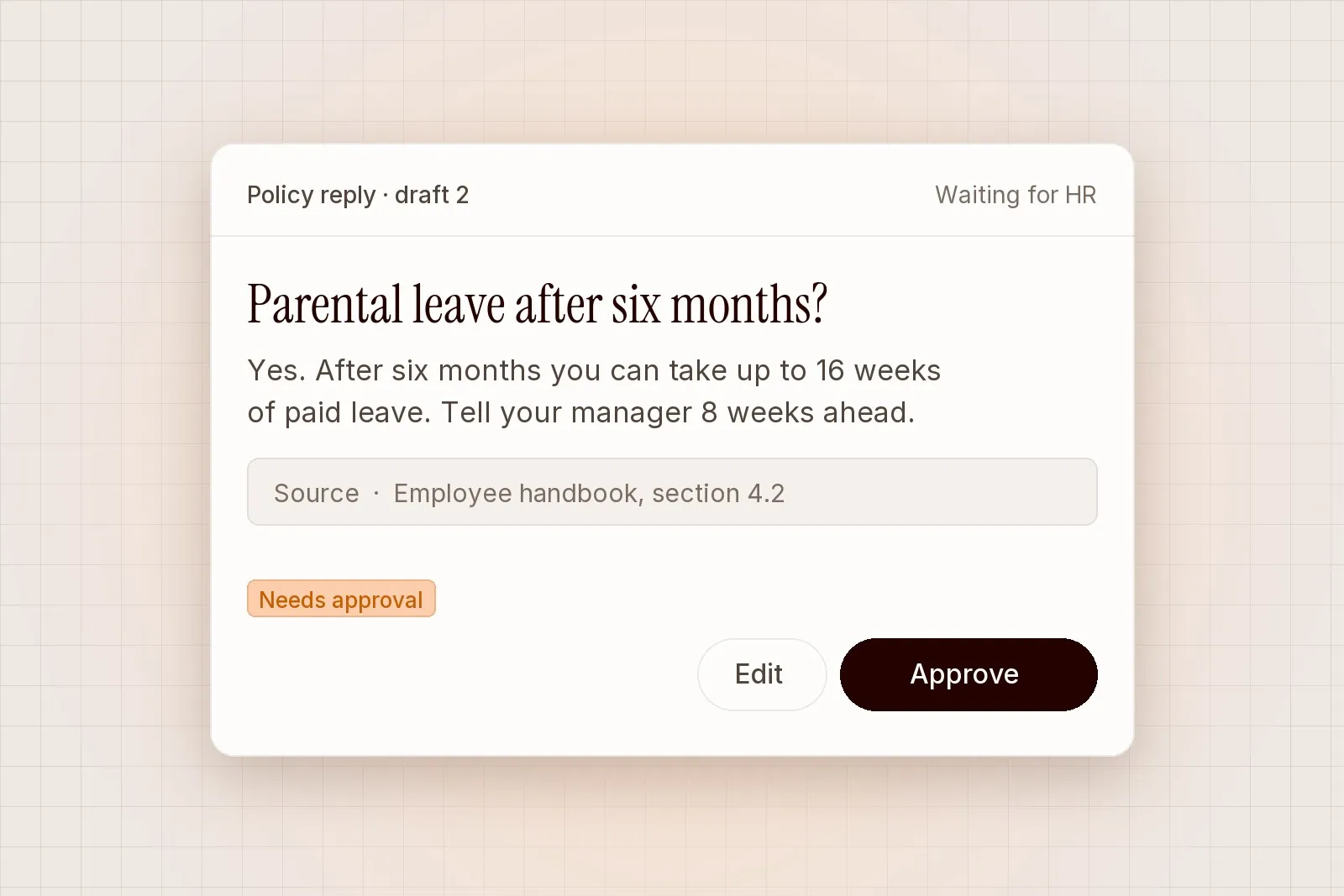
Most approval screens ask a person to say yes to a finished draft, with no view of how it got there. After a few weeks of drafts that look fine, reviewers start clicking approve out of habit. At that point the approval step is still there on paper, but it has stopped checking anything. A good approval step keeps the reviewer’s attention where it is needed and makes a careful check quick. Here is what we think it should show.
Show the source next to the draft
A reviewer cannot check a draft against something they cannot see. The letter, ticket or policy the agent read should sit next to the sentence it produced, and each claim in the draft should point back to the line it came from.
This changes how review works in practice. When the source is one click away, reviewers check facts they would otherwise take on trust. In our pilots, reviewers caught more errors and approved faster once sources were shown inline, because they no longer had to open a second system to confirm a date or a policy clause.
For each draft, the screen should show:
- The request or event that started the work
- The documents and records the agent read
- The draft, with each statement linked to its source
- The action that will run if the draft is approved, and in which system
Make the risky part obvious
Most of a typical draft is routine. A policy reply quotes the policy, a referral summary lists the medication, an alert note records the affected host. The parts that deserve attention are usually small: a figure that differs from last month, a request that falls outside policy, a recipient outside the company.
Flag what is new, unusual or outside policy, and let the rest stay quiet. If every draft carries several warnings, people learn to skip them. If warnings are rare and specific, people read them. We suggest teams agree on three to five flag rules during the pilot and review them each week.
Useful flags tend to look like this:
- The draft mentions a topic on the team’s “keep for people” list, such as health or a pay dispute.
- A number or date in the draft does not match the source record.
- The action affects a person or system outside the usual scope.
- The agent could not find a source for part of its answer.
“I used to read every reply top to bottom. Now my eyes go straight to the flag, and the source is right there when I need it.”
Lena Park, Benefits lead
Let reviewers edit, then learn from the edits
An approval step should offer more than yes or no. Reviewers need to edit a draft in place and approve the edited version, or reject it with a short reason. Both outcomes are useful information. A cluster of edits on the same kind of request usually means a rule needs changing, and a rejection reason tells the team what the agent should have done instead.
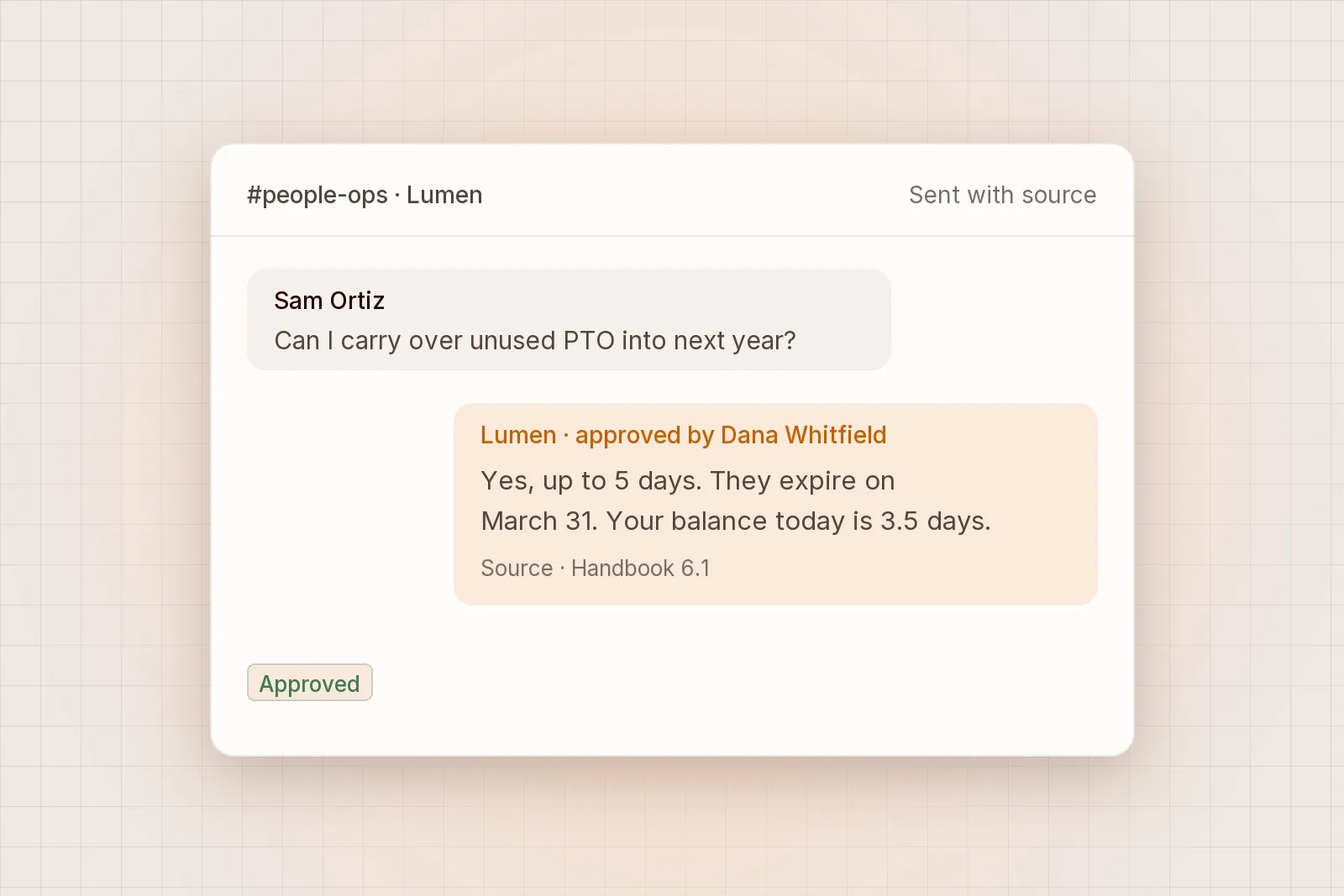
Every approval, edit and rejection should be recorded in the audit log with the reviewer’s name and a timestamp. That record is what lets a team answer later questions, such as who sent a letter and what it said before it was changed. It should also be exportable, so compliance teams can keep it in their own systems.
Put the right person on each approval
The person approving should be the person who would have done the work. An HR partner approves policy replies, a clinician approves referral summaries and an analyst confirms alert actions. Routing every approval to a manager creates a queue and removes the expertise the check depends on.
Some actions need two approvals. A change to someone’s access rights or a letter about pay may need both the specialist and a senior reviewer. Set these during the pilot, keep the list short and record it alongside the team’s other rules.
A quick checklist
Before you switch on any agent workflow, open the approval screen and ask:
- Can I see what the agent read without leaving this screen?
- Is it clear which part of this draft needs my attention?
- Can I edit the draft before approving it?
- Will my decision be recorded with my name?
- Is the action that follows clear, and limited to what I approved?
If the answer to any of these is no, fix the screen before you scale the workflow. Reviewers are the safety check, and the screen decides how well they can do that job.